English
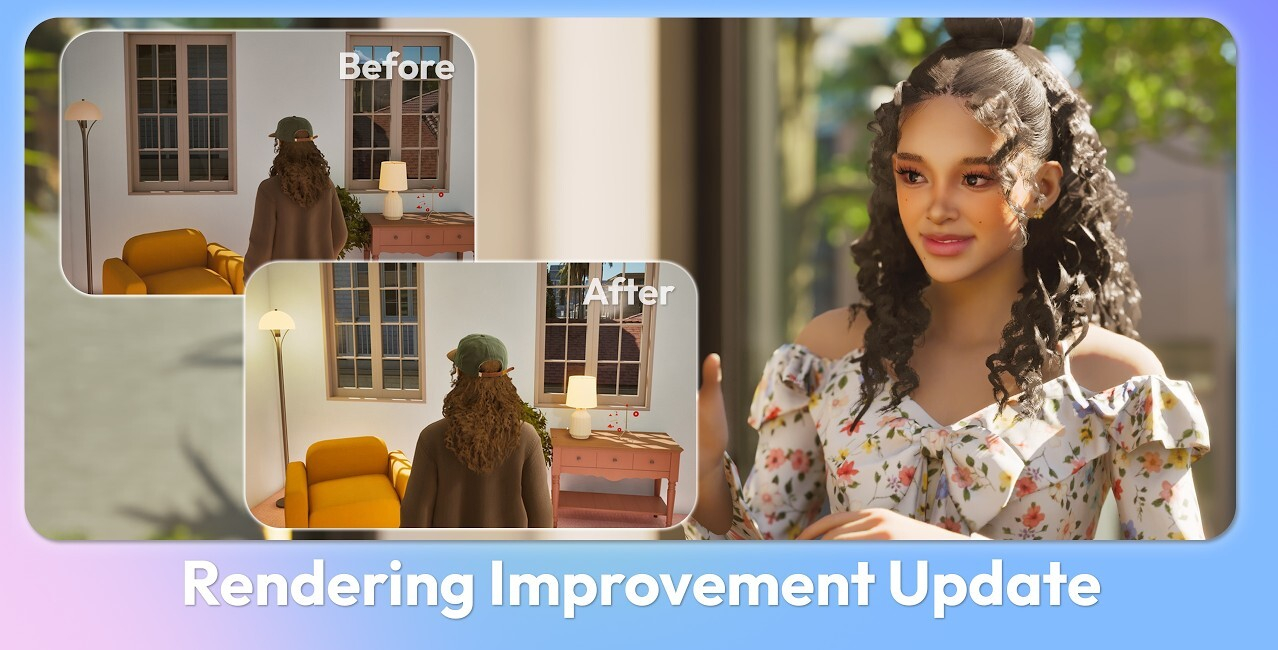
The latest March Update for inZOI brings a major overhaul to the game’s graphics rendering system, focusing on lighting, shadows, and overall visual consistency across all hardware tiers.
This update is designed to improve immersion, realism, and performance balance, ensuring that players—from low-end to high-end setups—can enjoy a visually satisfying experience.
🎯 Core Focus of the Update
The primary goal of this update is to:
- Enhance lighting and shadow quality
- Improve depth and spatial realism
- Deliver consistent visuals across all presets
- Reduce common visual issues such as noise, ghosting, and incorrect color tones
💡 High & Ultra Presets (Lumen Improvements)
High-end graphics settings receive the most advanced upgrades using Lumen global illumination.
Key Improvements:
- 🌟 Enhanced Lighting Quality
- Improved indirect lighting for more realistic light bounce
- Brighter and more natural indoor environments
- 🎨 Accurate Color Representation
- Fixed unnatural yellow tint in interiors
- Better separation between indoor and outdoor lighting
- 🧍 Reduced Ghosting
- Smoother visuals during character movement
- Improved image stability
- 🌙 Interior Lighting Fixes
- Indoor spaces no longer appear too dark at night
- Proper separation of interior/exterior lighting volumes
⚙️ Medium & Low Presets (SSGI Upgrade)
Players using mid-range and lower-end hardware now benefit from a significant quality boost.
Key Improvements:
- ✨ SSGI (Screen Space Global Illumination) Enabled
- Now active by default on Medium and Low presets
- Provides improved indirect lighting at lower performance cost
- 🎨 Color Balance Fix
- Removed excessive blue tint in interiors when Lumen is disabled
- 🛠️ New Graphics Setting
- Path:
Game Options → Graphics → Method of Global Illumination - Available options:
- None
- SSGI
- Lumen
- Path:
🖥️ Very Low Preset Improvements
Even the lowest graphics setting now delivers a more visually complete experience.
Key Improvements:
- 🏢 Smarter Shadow Rendering
- Real-time shadows (VSM) applied only to major structures
- 🪑 Improved Object Depth
- Added blob shadows to furniture and smaller objects
- Fixes flat and overly bright scenes
🔧 General Improvements
Several system-wide enhancements improve both visuals and usability:
- 🌑 Shadow Toggle Option
- Ability to disable all shadows for better performance
- Path:
Game Options → Graphics → Advanced → Shadow Display
- 🏠 Interior View Fixes
- Ceilings now hide properly in wall removal modes
- Reduces flickering and lighting artifacts
- 🖼️ Improved Texture Quality (Low-End Systems)
- Better background visuals even on weaker hardware
📌 Summary
This update significantly improves inZOI’s visual experience by:
- Delivering better lighting realism
- Fixing long-standing color and shadow issues
- Enhancing performance scalability across all systems
- Providing more control over graphical settings